
How to Search the Norwood Court Docket
Begin with Norwood's Municipal Court Dockets archive, the town's official source. Norwood posts dated PDF calendars rather than a name-search database. No case lookup box exists there. Open the PDF for the month you need and read the settings inside. Some months, the archive shows a notice that no court will be held.
- Read the citation and confirm that it names Norwood Municipal Court rather than San Miguel County Court.
- Open the Norwood docket archive and select the dated PDF for the expected monthly session.
- Check the case or citation entry, setting date, and any instructions shown in the posted record.
- If no matching Norwood record appears, search the Colorado docket for a state case or call the Norwood Town Clerk for municipal confirmation.
- Verify the setting before appearing, especially when the archive shows “NO COURT” or an older calendar.
For a state case, run the Colorado Judicial Branch Docket Search with San Miguel selected. That tool covers the county and district side. It does not cover the Norwood municipal PDF archive. The two cover different courts. The court named on your citation decides which lookup comes first.
Norwood Court Docket PDF Timing
Norwood posts its municipal docket on the Monday before court. Plan around that tight window. A reader checking weeks early may see nothing posted, even though a first-Wednesday session is expected, and a missing PDF never proves a citation was dismissed or moved. Treat the archive as the town's official channel for calendar records. The Norwood docket archive is where those records appear.
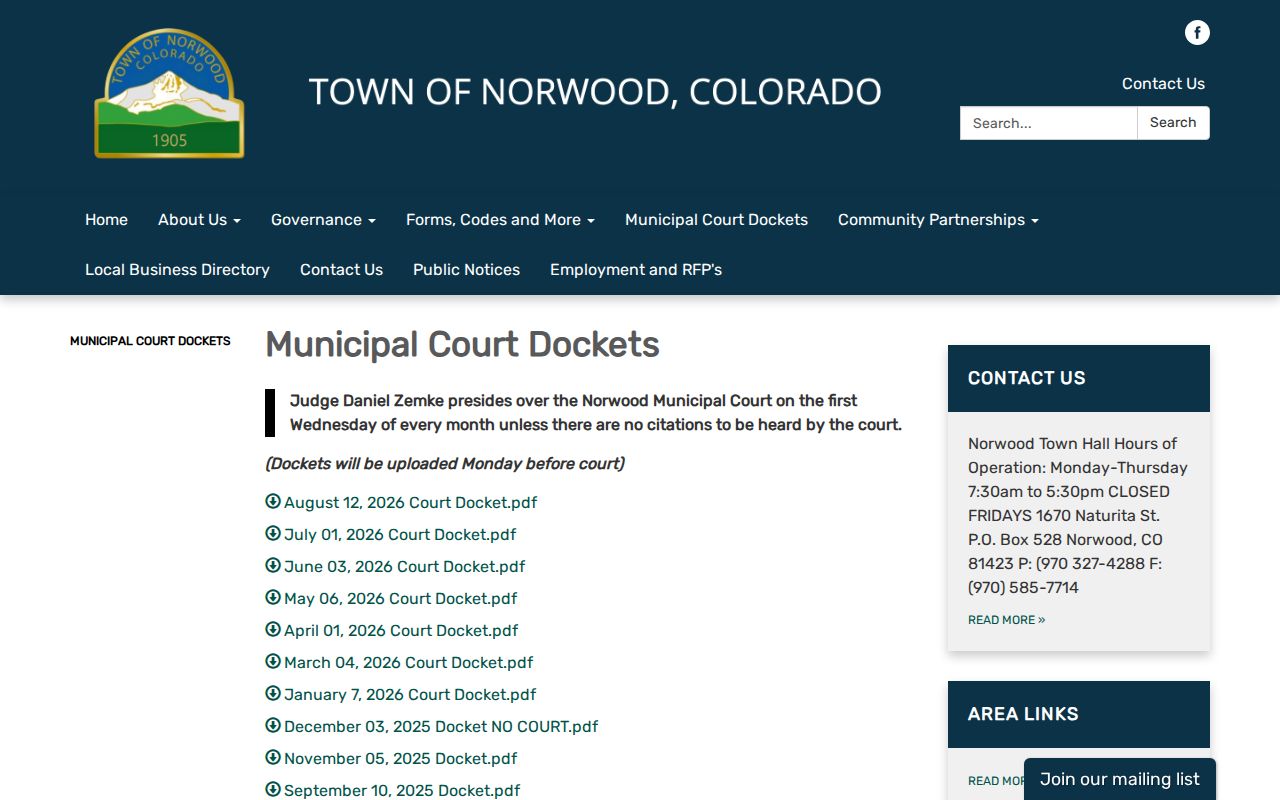
The dated links build a month-by-month record of scheduled sessions. Save the PDF you need. Call the clerk if a setting could have changed after publication.
The Norwood Municipal Court
Norwood Municipal Court hears the municipal-code matters assigned to the town. Judge Daniel Zemke ordinarily presides on the first Wednesday of each month. That schedule holds unless no citations are pending. The Norwood Town Clerk builds the docket and sits at each session. The clerk also keeps written and audio records and processes traffic tickets with DMV.
Town Hall sits at 1670 Naturita Street, Norwood, CO 81423. Mail goes to P.O. Box 528, and the phone is 970-327-4288. Public hours run Monday through Thursday, 7:30 a.m. to 5:30 p.m. Town Hall is closed Friday. That matters if you plan a late-week visit or request.
Norwood Court Docket No-Court Notices
A "NO COURT" posting is a real calendar entry, not a broken page. It means Norwood expects no municipal session that date. This happens when no citations are set. It says nothing about a state case in County Court. Nor does it erase an older Norwood municipal file.
What the notice means: Do not travel for a municipal session based on the usual monthly pattern when Norwood posts “NO COURT.” Confirm any citation deadline directly with the Town Clerk.
A canceled session does not end your obligations. Read the citation and ask which new date, payment route, or summons instruction now controls.
Norwood Court Dates and Settings
Norwood Municipal Court meets the first Wednesday of each month, as a rule. The PDF docket goes up the Monday before. Norwood offers no query form. Pair the published PDF with a direct call to the clerk. A date on an old Norwood PDF is historical. After a reset, it may no longer be the current setting.
| Date | The monthly municipal session date printed on the posted Norwood docket. |
|---|---|
| Time | The calendar time shown in the PDF or confirmed by the Town Clerk. |
| Location | Norwood Town Hall unless Norwood gives different current instructions. |
| Judge | Judge Daniel Zemke is identified in Norwood's current municipal court material. |
| Setting Status | A dated docket, changed setting, or explicit “NO COURT” notice. |
Hold a state-law citation to a different standard. Use the date printed on the ticket and the statewide docket, not the municipal PDF. San Miguel Combined Court can confirm a County Court setting at 970-369-3310.
Norwood Court Record Custodian
The Town Clerk anchors all Norwood court access. The office prepares the docket and records each session. It maintains written and audio material and processes municipal traffic tickets. Want an older municipal calendar or session record? Start there. Bring the session date, citation number, and party or case details that identify the item. The official Norwood town page gives the local contact route.
Do not confuse the two offices. The Norwood clerk holds municipal material, while the Clerk of Court at San Miguel Combined Court holds County and District Court files. Norwood offers no public municipal document viewer, so ask for records by session date and citation number.
Norwood Traffic Tickets
A Norwood municipal citation should name the Norwood court. It should also explain how to respond. The county traffic guide lists in-person payment at 1670 Naturita Street. Mail payments go to P.O. Box 528. Pay a qualifying notice by the Norwood court date. If it goes unpaid, it becomes a summons and an appearance is required. Never send a state penalty assessment to Norwood just because the stop happened nearby. State-law sheriff and Colorado State Patrol matters go to San Miguel County Court. The broader San Miguel County traffic court records route covers the state side. It explains state docket and judicial payment channels. For a Norwood ticket, the issuing-court line is the decisive clue.
- Municipal citation
- A notice alleging a Norwood town-code or locally adopted traffic-code violation.
- Penalty assessment
- A qualifying state-law ticket with a payment route defined by Colorado rules.
- Summons
- A document that requires a court response or appearance rather than simple payment.
- Court docket
- Norwood's dated list of matters set for a municipal session.
Norwood Traffic Code Docket
Norwood adopted the 2020 Model Traffic Code through Ordinance 1110 in 2021. That gives the town a defined local source. It covers municipal traffic enforcement. Still, read each Norwood ticket on its own terms. The charging line names the code provision and the court that will hear the case. Norwood's ordinance collection supplies the official legislative context.
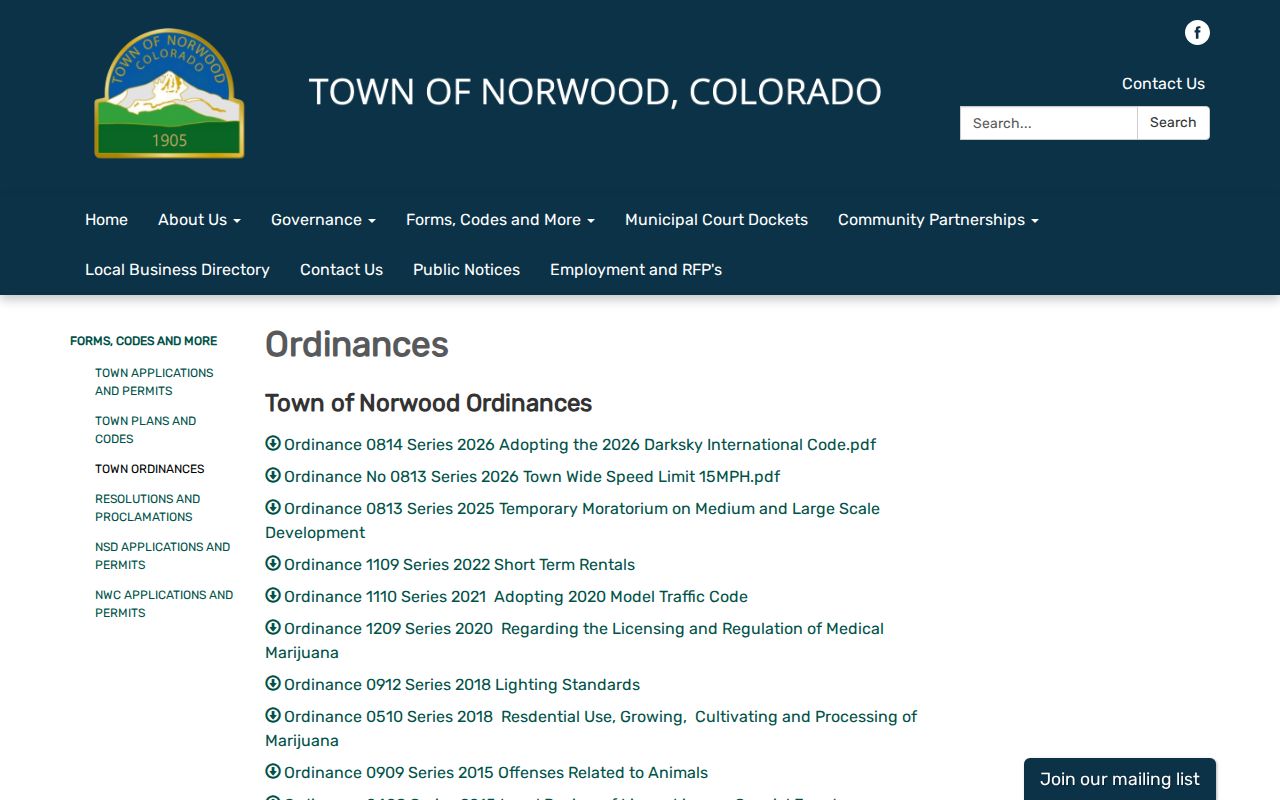
The local ordinance text tells you a case runs under Norwood's own code rather than Colorado state traffic law. It cannot replace the live docket entry or the citation in your hand, so read it only to tell the two apart.
Norwood Older Court Docket PDFs
Older Norwood docket PDFs work best with timing in hand. Know roughly when the hearing sat on the calendar. Match the month and open the file. Set its date beside any citation, summons, order, or clerk notice that came later. Remember that an archived calendar is only a snapshot. It can show a session that has passed. It can also show a case that got reset, or a month with no session posted at all.
What a PDF cannot do is prove an outcome. Orders in writing and the audio of what was said in court live elsewhere. To confirm a result, ask the Town Clerk for the later written record or any session audio. Give the clerk the PDF date plus the citation number. That way the request lands on the right municipal matter. This step keeps a scheduled appearance from being mistaken for a plea, a ruling, or a final disposition.
If the Norwood archive turns up nothing, read the citation. San Miguel County Court means a state matter. It belongs in the Colorado hearing search and the Combined Court file. If the citation names Norwood, call Town Hall. Ask whether the case landed on a different monthly docket. It may also sit only in the clerk's records.
Archive check: Match the PDF date to later court notices, then request the written or audio record when the actual outcome matters.
Note: A calendar PDF proves what was posted for that session. The clerk's later record shows what followed.
Where Norwood Cases End Up
Norwood keeps its own municipal matters at the first level. State traffic and misdemeanor cases head to San Miguel County Court. That applies even when the conduct happened in or near Norwood. The big cases go higher. Felony prosecutions and general civil matters belong there too. So do domestic relations, probate, and other general-jurisdiction cases. All of them sit in San Miguel County District Court.
Docket flow: Norwood Municipal Court › San Miguel County Court › District Court
Treat this routing as a map, not a promise that every municipal case climbs upward. Search only the court holding the current matter. An appeal or transfer can open a brand-new case. When that happens, follow the new court and case number instead of hunting later events in the Norwood PDF.
Norwood Citation Docket Escalation
For a qualifying municipal notice, Norwood and the county lay out a fixed sequence. The citation issues, a response or payment comes due, and if the notice is still unpaid by the Norwood court date, a summons and required appearance follow. This is not a routine continuance. Once the response point passes, what the recipient must do next changes.
Citation › response deadline › summons › municipal court appearance
Unsure whether that sequence has started? Call 970-327-4288. An old PDF alone will not answer it. The current citation instructions and a word from the clerk control, and no local source backs inventing some automatic alternative resolution.
Address mail to P.O. Box 528, and send it early enough to meet the town's instruction. Keep a copy of the citation and proof of your response. If a summons has already issued, payment under the earlier notice may not excuse the required appearance, so confirm the case status first.
Norwood Written and Audio Records
Norwood's Town Clerk keeps both the written and the audio side of the court record. A docket PDF tells you what was scheduled. A written order or session recording can show what actually occurred. Different questions, different documents. So ask for the specific item. Don't request a generic "full docket" and hope every paper and recording arrives.
Give the clerk the session date and the citation number. Add the case name where public, plus a plain description of what you want. The clerk can explain the available format and any access limit. Protected details may come back redacted. A public calendar entry never guarantees access to every part of the file behind it.
Note: The monthly PDF is only the calendar layer. Written orders and audio records take a separate, specific Town Clerk request.
Public Access to Norwood Court Records
Colorado access rules govern Norwood municipal court records. Even so, the Norwood Town Clerk stays the practical place to request a Norwood file. Public access stops at sealed, confidential, or otherwise restricted material. State cases follow a different route. County and District Court records run through the San Miguel Combined Court clerk. Those records also follow Colorado Judicial Branch access procedures.
Key Rules:
CJD 05-01 governs Colorado state court-record access and remote privacy limits.
Colorado's court-record Access Guide explains public records, official copies, and records that cannot be released remotely.
C.R.S. § 19-1-304 limits access to juvenile records and sensitive identifying information.
For a Norwood municipal record, call Town Hall during its four-day public week. For a state record, use the Combined Court. The San Miguel County court docket overview maps the county-level route without shifting who actually holds the Norwood file.